
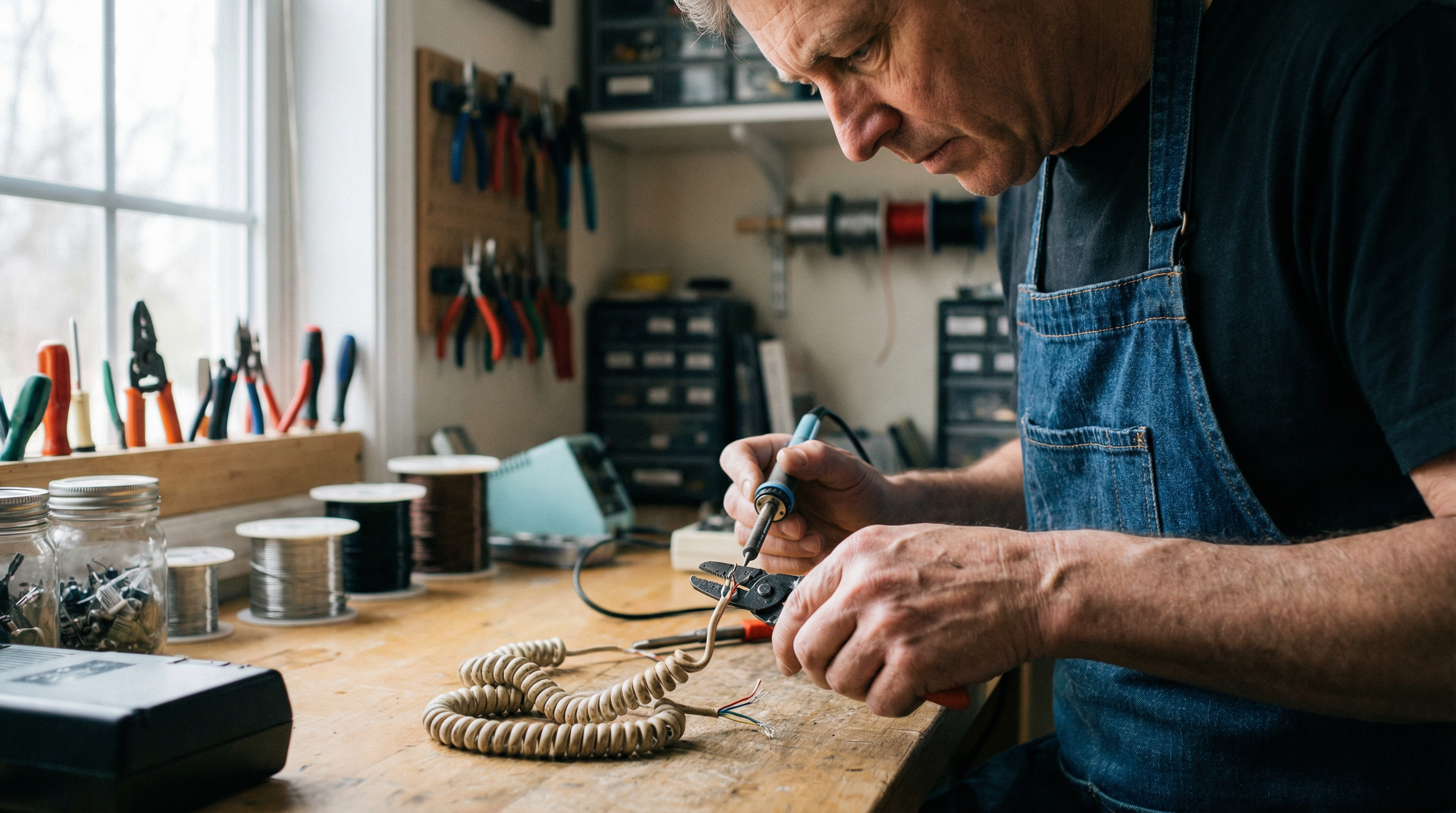
How to Replace a Landline Phone Cord
Learn how to replace your landline phone cord with our step-by-step guide. Discover tools, wiring tips, and techniques for a successful phone cable repair.
Introduction to Replacing a Landline Phone Cord
A damaged phone cord can disrupt your landline communication, causing static, dropped calls, or complete disconnection. Replacing the landline phone cord is often a straightforward solution to restore reliable service. By understanding the basics of phone cord anatomy and repair techniques, you can easily tackle this common issue.
Phone cords are essential links between your telephone and wall jack, carrying both voice signals and power through color-coded wires. According to ShowMeCables, telephone cables typically contain two to four conductors, though basic residential lines only require two. Common causes of cord failure include physical damage from pets or furniture, aging, and connector wear at the jack interface.
Before starting the replacement, it's crucial to understand how to wire phone jack connections correctly. The standard configuration uses the red and green wire pair for the primary line, following the RJ11 connector specification outlined by RS Components. Many households today are switching to VoIP systems, which may require different connections but follow similar basic principles.
This guide will walk you through each stage of the replacement process, from selecting the right cord to safely stripping cable jacket insulation. With basic tools and careful attention to wiring sequences, you can restore your landline functionality in under thirty minutes.
Essential Tools and Materials Needed
Before you begin replacing your landline phone cord, gathering the right tools is essential for a smooth process. You'll need a small flathead or Phillips screwdriver for terminal connections, a crimp tool designed for RJ11 connectors, and sharp wire cutters or strippers for clean cuts. Proper crimping tools, as suggested by DIY telephone cable guidance, ensure secure connections that withstand regular handling.
You'll also need a replacement phone cord of appropriate length, such as this 15ft pink phone cord, and RJ11 connectors, the standard six-position modular plugs used in telephone installations. Make sure the wire colors—red, green, yellow, black—match standard telephone wiring conventions, as proper color coding prevents connection errors.
Safety gear is crucial. Wear protective gloves when handling old cables, especially if you're removing old cables from house installations that may have accumulated dust or sharp wire ends. Safety eyewear protects against wire fragments during cutting operations.
Consider additional tools like a flashlight for working behind furniture and a multimeter to verify line continuity after installation. This preparation ensures you're equipped for standard replacements and any unexpected complications.
Step-by-Step Guide to Replacing the Cord
Replacing a landline phone cord is straightforward, but attention to detail is key for reliable connections. Whether you're upgrading to a longer cord or fixing a damaged line, follow these steps:
Disconnecting the Old Cord Safely
Start by unplugging the existing cord from both the phone handset and the wall jack. Grasp the plastic connector without pulling on the cable itself, and gently remove it. If the connector resists, check for a small release tab that needs pressing. For connections at a junction box, turn off power at the main service panel first to avoid interference or static discharge during disconnection.
Measuring and Preparing the New Cord
Measure the distance from your phone to the wall jack, adding 12-18 inches for flexibility and strain relief. If you're installing a custom-length cord, use quality telephone wire with proper gauge specifications—typically 24 or 26 AWG for standard installations. Consider this 25ft black phone cord for longer setups.
Attaching RJ11 Connectors
After cutting the cord to the desired length, attach RJ11 connectors using a crimp tool. Strip about half an inch of outer insulation to reveal the internal wire pairs. Arrange the wires according to standard color coding: red and green form the primary pair, while yellow and black serve as the secondary pair. For outdoor or moisture-prone installations, jelly crimps are ideal to prevent water infiltration.
Insert the wires into the RJ11 connector, ensuring they reach the front of the plug. Position the crimp tool over the connector and apply firm, even pressure until you hear a click, indicating the metal contacts have pierced the insulation and established an electrical connection. Inspect your work to ensure a proper connection.
How to Install a Phone Cord
Verify Jack Compatibility First
Before connecting your replacement cord, check both the phone jack and handset connector for compatibility. Modern landline cords use RJ11 or RJ12 connectors, which feature a plastic tab and visible gold or silver contacts. If you need to replace a handset cord on a vintage phone, you may encounter older connectors requiring adapter plates for modern cords.
Secure Connection Protocol
Insert the cord's modular plug into the wall jack until you hear a click, confirming proper engagement. Apply the same technique to the handset connection point. Never force connections, as excessive pressure can damage the retention mechanisms. For permanent installations requiring phone cable repair at junction boxes, consider using a jelly crimp for waterproof connections.
Connection Testing Procedure
Lift the handset and listen for a dial tone to confirm proper wiring continuity. If you hear static or intermittent sound, disconnect and reconnect both ends firmly. Test incoming calls by dialing your number from a mobile phone to ensure two-way communication functions correctly.
Troubleshooting Common Issues
Identify Poor Connection Symptoms and Fixes
Static, intermittent disconnections, or muffled audio usually indicate connection problems rather than cord failure. Loose connections at either the handset or wall jack are common culprits. Firmly disconnect and reconnect both ends; corrosion or dust on the metal contacts often causes these symptoms.
If static persists, inspect the modular plug. Handset cords experience wear at connection points, where repeated twisting can loosen internal wire contacts. Gently wiggle the cord near each connector while on a call—if audio cuts in and out, that specific end needs replacement.
For POTS (Plain Old Telephone Service) wiring issues, check your main telephone junction box where outside lines enter the home. Testing the wall jack with a known-working phone can help isolate whether problems stem from the cord or building infrastructure.
Resolve Tangling Issues with Cord Management
Coiled handset cords inevitably tangle through daily use. The physics of twisting motion creates permanent deformation in the coil structure. Dangling the handset allows gravity to naturally unwind minor tangles—hold the phone by its cord and let it spin freely for 30-60 seconds.
Severe tangling requires replacement since stretched coils rarely regain proper function. When selecting a new cord, consider straight cables for desk phones that remain stationary. Coiled designs suit scenarios requiring frequent pickup and movement within a limited radius.
Check Compatibility Problems
RJ11 and RJ12 connectors appear identical but have different pin configurations. While most residential phones use standard four-wire RJ11 connections, some business systems require six-wire RJ12 capability. Mismatched configurations can cause one-way audio or complete connection failure.
For DIY telephone cable repair at junction boxes, verify wire color coding before any splicing. The standard POTS wiring pairs red and green for the primary line, with yellow and black serving secondary lines. Incorrect wire pairing at junction points prevents proper signal transmission even when physical connections appear secure.
Recognizing when to replace a phone cord rather than troubleshooting is crucial.
Example Scenarios: When to Replace a Phone Cord
Cord Damage from Pets or Children
Physical damage is the most common replacement trigger. Chewed cables from pets or crushed modular plugs from furniture repositioning are typical issues. When you find frayed wiring near the RJ11 connector, replacement becomes necessary—exposed copper creates safety concerns beyond connectivity loss. Children pulling on desk phones or pets mistaking coiled cords for toys can compromise internal wire integrity even if the outer jacket appears intact.
Upgrading Length for Workspace Optimization
Convenience upgrades often drive cord replacements. Homeowners may find their 7-foot standard cord limits phone placement options, or a 25-foot cord creates desktop clutter. According to Wiltronics, selecting the appropriate cable length improves both functionality and workspace organization. Matching cord length to your actual usage pattern transforms phone accessibility.
Improving Audio Quality Through Fresh Connections
Degraded sound quality sometimes necessitates cord replacement rather than phone service troubleshooting. Oxidized contacts within aging connectors introduce interference that manifests as static or volume reduction. While you could use tools to crimp telephone cable RJ11 connectors to repair damaged ends, purchasing a replacement cord with factory-sealed connections typically offers more reliable results. Audio issues from worn-out cables often resolve immediately with fresh copper contacts.
Limitations and Considerations
When DIY Replacement Isn't the Right Approach
While replacing a landline phone cord is straightforward for standard setups, some situations require professional expertise. Homes built before the 1990s may have phone jack wiring that doesn't follow modern standards, making simple cord replacement insufficient. If you encounter unfamiliar wire colors or connection types that don't match current RJ11 configurations, proceed cautiously.
A common issue is discovering hardwired connections where cords aren't detachable. These installations require direct access to terminal blocks inside wall-mounted junction boxes. Attempting to strip and crimp phone cords in these scenarios without proper tools risks creating unreliable connections.
Complex Multi-Line Systems Need Expert Assessment
Commercial-grade multi-line systems and homes with integrated security or medical alert systems connected to phone lines present additional complications. These configurations often share the same phone jack wiring but operate on separate pairs within the cable. Incorrect modifications can disable emergency services or business lines.
If your setup includes PBX equipment, multiple wall jacks controlled by a central distribution point, or you're uncomfortable working with electrical connections, professional installation ensures proper wiring standards and system functionality. The modest service call cost typically prevents more expensive problems down the road.
Industry Insights: What Most Guides Miss
Choosing the Right Gauge and Quality of Cord
The difference between a reliable landline cord and a problematic one often comes down to wire gauge and construction quality. Standard phone lines typically use 24 AWG (American Wire Gauge) copper wiring, though some applications benefit from 22 AWG for longer runs. A common mistake is purchasing the cheapest replacement cable, only to experience static or dropped connections months later. Quality cords use stranded copper conductors with proper insulation that resists degradation over time, while budget alternatives may use copper-clad aluminum, increasing resistance and signal loss.
The Cable Management Factor
Proper cable routing prevents 80% of repeat failures. When learning how to repair telephone cable, installers often overlook that excessive tension, tight bends, or cables routed near power lines create long-term reliability issues. Maintain at least a 1-inch bend radius for standard modular cables, and keep telephone wiring at least 6 inches away from electrical conduits to minimize interference. Securing cables with appropriate clips rather than staples preserves the integrity of internal conductors.
Maintaining Landline Systems for Longevity
Understanding telephone extension wiring colors—typically red (ring) and green (tip) for line one—enables better troubleshooting and maintenance. Connections often degrade at termination points before cables fail. Periodic inspection of RJ11 connectors and wall jacks, combined with gentle cleaning of contact points, significantly extends system life. However, older installations using non-standard wiring colors may require professional assessment to ensure proper pairing before replacement attempts.
Key Telephone Cord Replacement Takeaways
Replacing a landline phone cord—whether it's a handset cord connecting your receiver to the base or a line cord linking your phone to the wall—is a manageable DIY project with minimal investment. Armed with basic tools like wire strippers and a modular crimping tool, most homeowners can complete standard replacements in under 15 minutes. The key is following proper safety protocols: always disconnect power before working with phone lines, and verify wire polarity using the standard color-coding system.
Troubleshooting should precede replacement. According to ShowMeCables, many connection issues stem from corroded contacts or loose modular plugs rather than damaged wiring. Learning how to crimp RJ11 connectors properly ensures a secure, long-lasting connection—and knowing how to fix broken landline cord modular plugs can extend the life of existing cables rather than requiring full replacement.
However, recognize when professional expertise is necessary. Complex multi-line systems, outdated wiring that doesn't comply with current standards, or installations requiring new wall jack mounting typically warrant calling a telecommunications technician. Attempting repairs beyond your skill level can compromise call quality or, in rare cases, damage connected equipment. When in doubt, a brief consultation with a professional can save both time and frustration.
Call to Action
Explore USA Trading Depot's full range of phone cords, including various lengths and colors, ensuring compatibility with your setup. Enjoy same-day shipping, USA-made quality, and a compatibility guarantee with every purchase. Visit usatradingdepot.com to shop the complete collection and find the perfect cord for your needs.